

Authorization header.
Create Your API Key
Go to Settings → API Keys
In the Smallest AI Console, click API Keys in the Settings sidebar.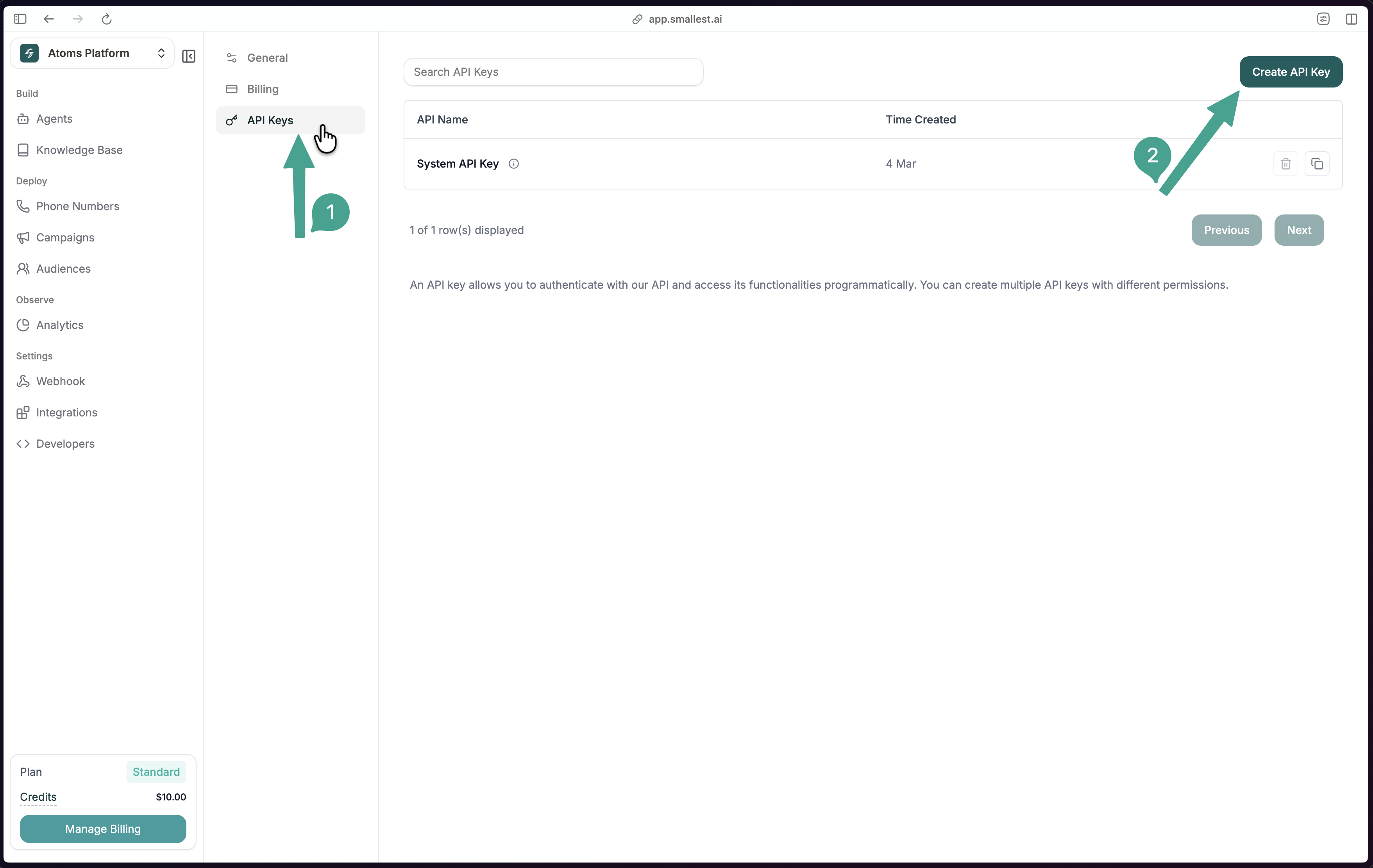
Create a new key
Click Create API Key, give it a descriptive name (e.g., 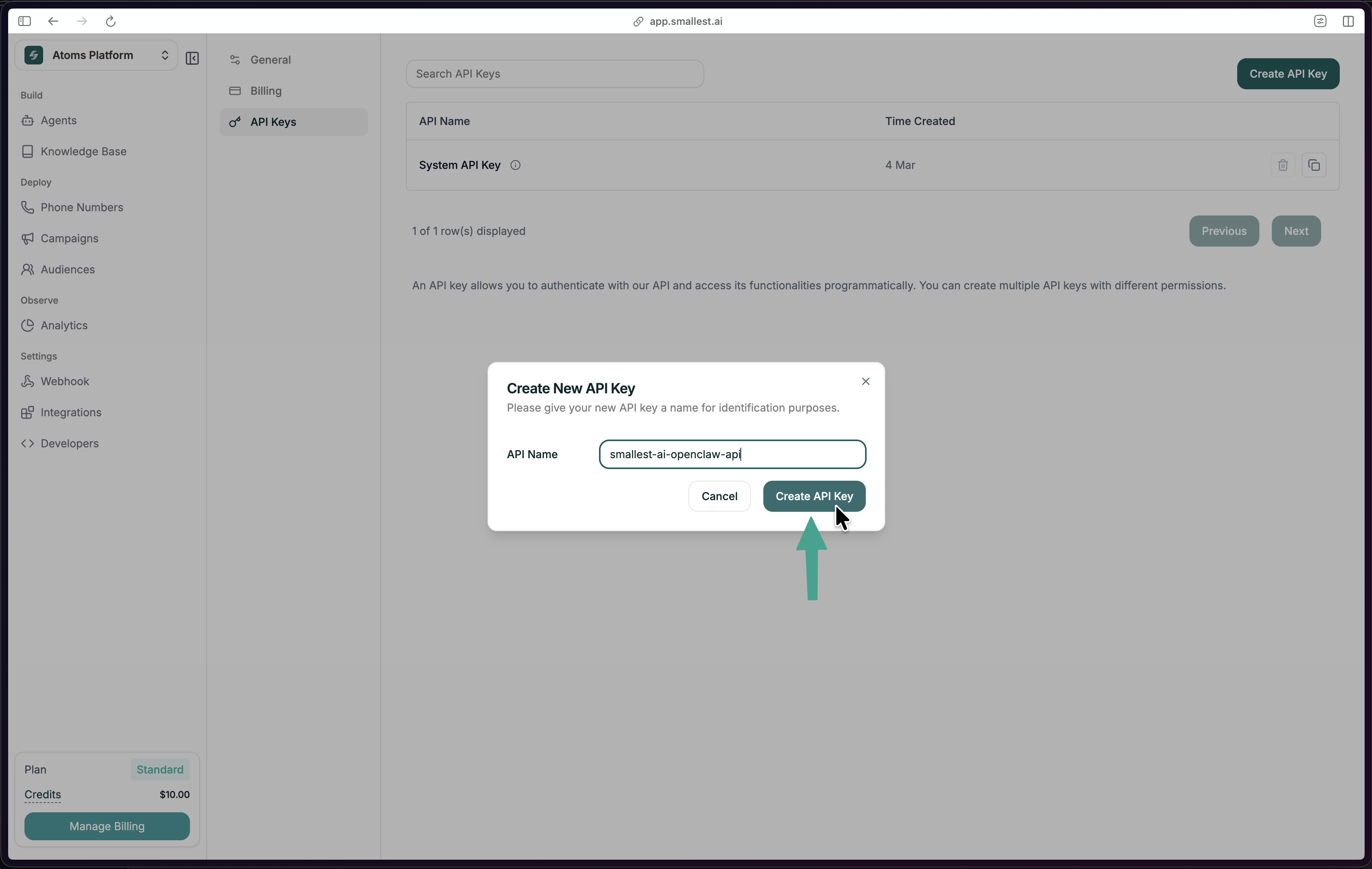
my-tts-app), and click Create API Key.Using Your API Key
Include your key in theAuthorization header with every request:
Security
- Store keys in environment variables, not in source code
- Use
.envfiles locally (add.envto.gitignore) - Rotate keys periodically via the console
- Each key tracks usage against your account quota
Error Responses
| Status | Meaning |
|---|---|
401 Unauthorized | Missing or invalid API key |
403 Forbidden | Key doesn’t have access to this resource |
429 Too Many Requests | Rate limit exceeded — wait and retry |